

Norton 360 integra un motor anti-malware potente dentro de un conjunto que se ha vuelto más pesado con cada versión. El salto de la tarifa introductoria del primer año al precio estándar suele más que duplicar el coste, la huella de la app en Android supera con holgura los 200 MB tras el primer análisis y la pantalla de inicio abre con tarjetas de upsell de Genie, Scam Protection Pro y Dark Web Monitoring antes de mostrar los resultados del escaneo. Las siete alternativas siguientes cubren los casos en los que el paquete Norton es exceso: opciones gratuitas más ligeras, un suite de pago más contenido, variedad de motor para salir del ecosistema Symantec y escáneres bajo demanda que no permanecen en segundo plano.
Por qué la gente deja Norton 360
- Los precios de renovación suben mucho tras el primer año. Las suscripciones que empezaron en cifras bajas anuales suelen renovarse por encima del equivalente de Bitdefender o ESET.
- El conjunto ha crecido hacia Scam Protection Pro, Genie AI, monitorización de la dark web, bloqueo de rastreadores publicitarios y una VPN, con upsells permanentes que empujan planes de pago desde el flujo gratuito.
- La huella de instalación en Android y el uso de batería están por encima de rivales más ligeros. Informes móviles recientes de AV-Comparatives han señalado el impacto de Norton en el tiempo de arranque de apps y en la autonomía.
- El permiso del servicio de accesibilidad para Safe Web y App Advisor lee el contenido en pantalla. Para una sola herramienta antivirus, muchos usuarios consideran ese alcance difícil de justificar.
- La VPN no está disponible en todos los países; India quedó fuera por completo tras cambiar la normativa sobre registro de datos. En esas regiones se paga por una función inutilizable.
- Las rutas de compra se solapan entre la suscripción de Google Play, la web de Norton y bundles de partners. Renovar en una superficie distinta a la compra original ha generado quejas por cargos duplicados en foros de soporte.
- La interfaz móvil recicla el lenguaje de marketing del suite de escritorio. Quien solo quiere un antivirus para virus necesita varios toques para atravesar las tarjetas del paquete.
Si estos puntos pesan, aquí van siete alternativas a Norton 360 que merece la pena instalar.
Qué app deberías elegir
-
Bitdefender Mobile Security si lo más importante es la precisión de detección y un impacto bajo en el dispositivo.
-
ESET Mobile Security si el teléfono es antiguo o tiene poca RAM y la prioridad es un motor ligero.
-
Avast One si un nivel gratuito amplio con minutos de VPN cubre el caso sin suscripción.
-
AVG AntiVirus si la interfaz de Avast se siente cargada pero el mismo motor y la protección gratuita siguen encajando.
-
Kaspersky si el factor decisivo es el motor gratuito más fuerte y las restricciones regionales no aplican.
-
Malwarebytes si el trabajo real es una limpieza bajo demanda de un dispositivo sospechoso y no la protección permanente.
-
Sophos Intercept X for Mobile si un escáner gratuito sin anuncios y sin cuenta, con comprobación de enlaces y autenticador, basta.
Quédate en Norton 360 si el hogar ya paga Norton en un PC con Windows y añadir móviles al cupo existente sale más barato que un producto solo móvil aparte.
1. Bitdefender Mobile Security: el mejor reemplazo global

Bitdefender Mobile Security es el cambio más parejo frente a Norton en detección. Las puntuaciones AV-TEST del motor Android llevan años en la parte alta: máximos contra muestras zero-day y casi cero falsos positivos. La app es más ligera que Norton, con menos tamaño instalado y una pantalla de inicio menos saturada.
El conjunto de protección incluye análisis de apps en tiempo real, protección web en Chrome y otros navegadores, antirrobo, privacidad de cuentas y una VPN integrada con tope de 200 MB diarios en el plan estándar. Norton 360 frente a Bitdefender Mobile Security es paquete amplio frente a foco. Norton amontona protección antifraude, monitorización de la dark web y bloqueo de rastreadores. Bitdefender mantiene la superficie estrecha y ejecuta el escáner principal con más claridad.
La contrapartida es el tope de la VPN incluida. Los 200 MB diarios sirven para comprobaciones puntuales en Wi‑Fi público, no para streaming habitual. El complemento Premium VPN levanta ese límite con coste extra, parecido a cómo Norton segmenta el acceso VPN.
Ventajas:
- Puntuaciones de detección AV-TEST de primer nivel
- Menor huella de batería y CPU que Norton
- Account Privacy revisa exposición a filtraciones
- Pantalla de inicio más limpia con menos tarjetas de upsell
Inconvenientes:
- VPN integrada limitada a 200 MB al día
- El nivel gratuito en Android es más limitado que el lado gratuito de Norton
- Sin control parental dedicado en el plan móvil
Precios: Nivel gratuito con escaneo bajo demanda. Los planes de pago empiezan por una suscripción anual razonable para varios dispositivos, con descuentos plurianuales.
Conclusión: Elige Bitdefender Mobile Security cuando busques calidad de detección directa con un conjunto más pequeño y una app más ligera.
2. ESET Mobile Security: lo mejor para móviles antiguos o con poca RAM

ESET mantiene reputación de motor más ligero cuando el hardware va justo. La app Android instala poco, escanea rápido y usa menos RAM y batería que los conjuntos Norton o Avast. En teléfonos con Android 10 o anterior y 3–4 GB de memoria, esa diferencia decide.
El nivel gratuito cubre escaneo bajo demanda, protección en tiempo real sobre apps instaladas y un módulo antirrobo básico. Premium de pago añade antiphishing en navegadores, bloqueo de apps, escaneos programados y auditoría de seguridad. Norton 360 frente a ESET Mobile Security es una cuestión de peso: ESET queda un escalón más ligero en cada métrica medible.
La contrapartida es una interfaz austera y la ausencia de VPN integrada. Quien viene de Norton esperando un único panel para VPN, bloqueo de estafas y antivirus necesitará una app VPN aparte. La fortaleza de ESET es hacer bien una sola tarea, no amontonar extras.
Ventajas:
- Menor uso medido de RAM y batería entre suites móviles grandes
- Protección en tiempo real en el nivel gratuito
- Interfaz limpia sin pop-ups de upsell en el uso normal
- Sólido en versiones antiguas de Android
Inconvenientes:
- Sin VPN integrada en ningún nivel
- El nivel gratuito carece de antiphishing en el navegador
- Historia de monitorización de filtraciones más pequeña que Norton
Precios: Gratis con funciones limitadas. Premium es moderado y renueva al mismo precio que el periodo introductorio.
Conclusión: Elige ESET Mobile Security cuando el teléfono sea viejo, la RAM sea justa y quieras antivirus sin torre de funciones.
3. Avast One: el mejor nivel gratuito con VPN incluida

Avast One es la reorganización de Avast Mobile Security y ofrece el nivel gratuito más amplio de la categoría. La versión gratuita incluye análisis de virus bajo demanda y en tiempo real, limpieza de basura, asesor de privacidad y una cuota diaria de VPN: poco habitual sin coste. El lado gratuito de Norton es mucho más estrecho, casi solo el escáner básico.
Avast One Premium de pago quita el tope de VPN, añade monitorización de la dark web y alertas de filtraciones de datos. Norton 360 frente a Avast One es comparación de tramos de precio. Avast One Premium suele renovar más barato que Norton 360 Standard para el mismo número de dispositivos, y el nivel gratuito ya cubre buena parte de lo que Norton cobra.
La contrapartida es el tamaño del conjunto. Avast One replica la estrategia de Norton de agrupar funciones colindantes, así que la app pesa más que Bitdefender o ESET. El historial de datos del grupo matriz de Avast sigue siendo matizable para usuarios sensibles a la privacidad, aunque la compañía cerró el brazo broker Jumpshot hace años.
Ventajas:
- Nivel gratuito amplio con cuota diaria de VPN
- Escaneo en tiempo real en el lado gratuito
- Renovación más barata que Norton con el mismo número de dispositivos
- Limpieza de basura y asesor de privacidad incluidos
Inconvenientes:
- Huella de app mayor que la de antivirus centrados
- Historial de privacidad del grupo matriz mixto
- Upsells frecuentes dentro del flujo gratuito
Precios: Gratis con protección amplia. Premium desbloquea VPN ilimitada y monitorización de filtraciones con suscripción anual.
Conclusión: Elige Avast One cuando un nivel gratuito con cuota VPN real y escaneo en tiempo real completo sea lo decisivo.
4. AVG AntiVirus: el hermano más tranquilo de Avast

AVG usa el mismo motor que Avast pero entrega una interfaz más calmada. Misma categoría de detección, mismas herramientas de limpieza, menos superficie de marketing en la app. Si te gustaba el perfil de protección de Avast pero la pantalla inicial era ruidosa, AVG es el mismo producto con el volumen bajado.
El nivel gratuito cubre escaneo antivirus, comprobación de enlaces con Web Shield, bóveda de fotos y auditoría de permisos. AVG AntiVirus Pro de pago añade bloqueo de apps, trampa de cámara antirrobo, seguridad Wi‑Fi y elimina anuncios en la app. Norton 360 frente a AVG AntiVirus es preferencia de interfaz sobre la misma calidad de motor; AVG tiene el diseño más simple.
La contrapartida es la paridad de funciones con Avast One. Lo que hace Avast, AVG también lo hace, pero el paquete cambia ligeramente y AVG omite la VPN integrada incluso en el nivel de pago. Para igualar el resultado de Norton 360 hace falta una VPN aparte.
Ventajas:
- Mismo motor que Avast One con menos ruido visual
- El nivel gratuito cubre escaneo, Web Shield y bóveda de fotos
- Menor huella de CPU que el tramo tipo suite completa
- Marca consolidada con actualizaciones constantes
Inconvenientes:
- Sin VPN integrada en ningún nivel de AVG
- Bloqueo de apps y seguridad Wi‑Fi detrás del plan de pago
- Menos funciones de monitorización de filtraciones que Norton
Precios: Gratis con anuncios. La suscripción anual AVG AntiVirus Pro quita anuncios y añade funciones de pago.
Conclusión: Elige AVG AntiVirus cuando el motor de Avast encaje pero la interfaz deba ser más tranquila y una VPN separada sea aceptable.
5. Kaspersky: motor gratuito más potente, con matices

El motor móvil de Kaspersky suele quedar arriba en pruebas independientes con falsos positivos muy bajos. El nivel gratuito en Android incluye escaneo en tiempo real, antiphishing en enlaces y filtrado de llamadas; los planes Plus y Premium de pago suman alertas de robo de identidad, funciones de gestor de contraseñas y VPN. Frente al lado gratuito de Norton, el de Kaspersky es claramente más capaz.
Norton 360 frente a Kaspersky es pregunta de marca y motor por un lado y de normativa por otro. En detección bruta suele ganar Kaspersky. La parte regulatoria añade contexto: el uso federal en EE. UU. está restringido, la compañía ha salido de varias listas de compras públicas en Europa y algunos usuarios evitan la marca por origen nacional. Nada de eso cambia la detección en el dispositivo, pero sí el cálculo de confianza.
La contrapartida es precisamente el perfil regulatorio. En entornos regulados o siguiendo las recomendaciones federales conviene otro motor. La detección técnica sigue siendo de las mejores de la categoría.
Ventajas:
- Escaneo gratuito y antiphishing de primer nivel
- Baja tasa de falsos positivos en pruebas independientes
- Filtro de llamadas y comprobador de enlaces en el lado gratuito
- Los planes de pago suman gestor de contraseñas y VPN
Inconvenientes:
- Restringido en uso federal de EE. UU. y varios contratos públicos
- Sensibilidad de marca para algunos usuarios
- Upsells frecuentes hacia Plus y Premium
Precios: Nivel gratuito con protección sólida. Las suscripciones Plus y Premium añaden identidad, VPN y contraseñas.
Conclusión: Elige Kaspersky cuando la detección bruta sin coste sea la prioridad y el contexto regulatorio no aplique.
6. Malwarebytes: lo mejor para limpiar un dispositivo sospechoso
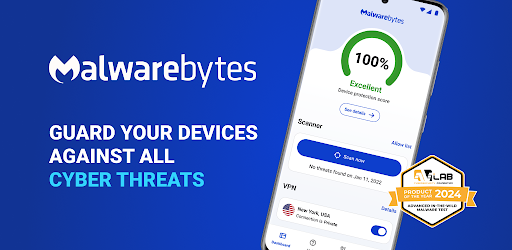
Malwarebytes ganó reputación limpiando equipos Windows que otros pasaban por alto. La versión Android sigue la misma línea: análisis profundos bajo demanda centrados en adware, stalkerware y amenazas que se cuelan fuera de los motores generales. Si el móvil se comporta raro tras un instalador lateral o un enlace sospechoso, Malwarebytes es la herramienta de segunda opinión precisa.
El nivel gratuito cubre solo escaneo bajo demanda. Premium de pago añade protección en tiempo real, protección web frente a phishing y bloqueador de anuncios integrado para Chrome y otros navegadores. Norton 360 frente a Malwarebytes contrasta categorías: Norton es vigilancia permanente; Malwarebytes es especialista en limpieza que también ofrece un nivel de vigilancia.
La contrapartida es el conjunto de funciones más estrecho. No integra VPN, monitorización de filtraciones ni filtrado de llamadas fraudulentas. Quien busque la respuesta única que vende Norton encontrará Malwarebytes demasiado centrado.
Ventajas:
- Muy fuerte en adware y stalkerware
- El escaneo gratuito bajo demanda es realmente útil
- Premium suma protección en tiempo real y bloqueador de anuncios
- Marca independiente con trayectoria larga
Inconvenientes:
- El nivel gratuito no tiene protección en tiempo real
- Sin VPN integrada ni monitorización de filtraciones ni filtro de llamadas
- Menor presencia en laboratorios que Bitdefender o Norton
Precios: Escaneo bajo demanda gratis. La suscripción Premium desbloquea protección en tiempo real y web.
Conclusión: Elige Malwarebytes cuando toque revisar y limpiar un dispositivo sospechoso o apilar una segunda opinión junto al motor principal.
7. Sophos Intercept X for Mobile: la mejor opción gratuita sin cuenta

Sophos Intercept X for Mobile encaja cuando planes de pago, cuentas y anuncios quedan fuera. La app proviene de Sophos, proveedor de seguridad empresarial, y es totalmente gratuita para uso personal sin compras in-app ni anuncios. Incluye escaneo de apps en tiempo real, filtrado web contra phishing, comprobación de reputación de Wi‑Fi y autenticador integrado.
Tener autenticador gratis ya es poco habitual y cubre el mismo papel que Google Authenticator: útil si quieres concentrar herramientas. Norton 360 frente a Sophos Intercept X for Mobile contrasta paquete de pago con herramienta gratuita. Norton ofrece más superficie; Sophos entrega protección móvil central sin pago, sin cadena de upsells y sin telemetría ligada a tu identidad personal.
La contrapartida es la ausencia de funciones avanzadas. No hay VPN, monitorización de la dark web ni filtro de llamadas fraudulentas. La interfaz es claramente heredada del entorno corporativo, con terminología que a veces suena más a dispositivo empresarial que personal.
Ventajas:
- Totalmente gratis sin anuncios ni upsells
- Escaneo en tiempo real, filtrado web y comprobación Wi‑Fi
- Autenticador integrado para códigos de dos factores
- Respaldado por un proveedor de seguridad empresarial
Inconvenientes:
- Sin VPN, dark web ni filtro de llamadas fraudulentas
- Interfaz de estilo empresarial
- Menor reconocimiento de marca fuera del TI corporativo
Precios: Gratis.
Conclusión: Elige Sophos Intercept X for Mobile cuando busques protección real sin coste, sin cuenta, sin anuncios y sin upsells.
Cómo elegir
Elige Bitdefender Mobile Security si la precisión de detección y una app más ligera deciden. El coste anual en renovación es menor que Norton y la pantalla de inicio no amontona tarjetas de upsell.
Elige ESET Mobile Security si el teléfono es antiguo o tiene poca RAM. Es el motor más ligero de la lista y el impacto en batería es el menor en mediciones independientes.
Elige Avast One si un nivel gratuito amplio con cuota diaria de VPN cubre el caso. El nivel Premium también suele quedar por debajo de Norton con el mismo número de dispositivos.
Elige AVG AntiVirus si el motor de Avast encaja pero la interfaz de Avast One se siente cargada. Debajo es el mismo producto con una superficie más calmada.
Elige Kaspersky si la detección bruta sin coste es lo principal y el contexto regulatorio no aplica. El nivel gratuito es el más fuerte de la categoría en calidad de motor.
Elige Malwarebytes cuando el trabajo sea una limpieza puntual de un dispositivo sospechoso o combinar una segunda opinión con el escáner principal.
Elige Sophos Intercept X for Mobile cuando planes de pago, anuncios y cuentas no entren en juego y baste un escáner gratuito en tiempo real.
Quédate en Norton 360 cuando el hogar ya use Norton en un PC con Windows y sumar móviles al cupo actual salga más barato que una suscripción solo móvil aparte.
Preguntas frecuentes
¿Bitdefender es mejor que Norton 360 en Android? En precisión de detección e impacto en batería, Bitdefender Mobile Security ha puntuado por encima de Norton 360 en rondas recientes de AV-TEST y AV-Comparatives móvil. Norton gana en amplitud del paquete con protección antifraude, monitorización de la dark web y una VPN más generosa, pero la calidad central del escaneo suele favorecer a Bitdefender.
¿Cuál es la mejor alternativa gratuita a Norton 360? Para protección en tiempo real completa en el nivel gratuito, Avast One ofrece la cobertura más amplia, incluida una cuota diaria de VPN. Sophos Intercept X for Mobile es gratis sin anuncios e incluye filtrado web y autenticador. Kaspersky tiene el motor gratuito más fuerte en detección bruta.
¿Los móviles Android necesitan antivirus de verdad? Los Android modernos con Google Play Protect ya bloquean la mayor parte de apps maliciosas conocidas en Play Store. Los antivirus aportan valor frente a APK laterales, enlaces de phishing, PDF maliciosos y stalkerware, además de filtrado de llamadas fraudulentas y monitorización de filtraciones que Play Protect no cubre.
¿Cuál es la alternativa más barata a Norton 360? Sophos Intercept X for Mobile es totalmente gratis para uso personal. ESET Mobile Security y Bitdefender Mobile Security suelen renovar más barato que Norton 360 para el mismo número de dispositivos.
¿Puedo importar ajustes de Norton 360 a otra app antivirus? Los ajustes no se exportan entre proveedores. Cada app se configura aparte; suele llevar solo unos minutos. La cancelación de la suscripción debe hacerse por el canal de compra original, normalmente suscripciones de Google Play o la web de Norton.
¿Malwarebytes basta por sí solo? El nivel gratuito es solo bajo demanda, así que no basta como única protección. Premium de pago añade escaneo en tiempo real y protección web y es una opción independiente creíble, sobre todo si ya confías en la marca desde el escritorio.


